Social media ROI — Non-profits shouldn’t make it difficult

At the end of Tuesday’s post titled “Are non-profits yelling at their donors using social media?” I promised that I’d share a few revelations from a social media conference that Marissa and I attended last week hosted by SkillPath Seminars. Yesterday, I posted “Answers to the two most popular social media questions asked by non-profits,” and today we’re talking about that thing that for-profit companies are obsessed with and non-profits seem to struggle with . . . RETURN ON INVESTMENT (ROI).

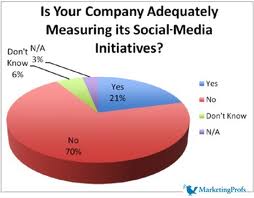
“43% of current social media marketers haven’t measured ROI.”

This number was shared with Marissa and me by our lovely  SkillPath Seminars trainers at last week’s social media conference. They cited this information from King Fish Media in 2010.

Well, if I were a betting man, I would guess that this number is much, much higher when you just look at non-profit organizations using social media.

Let’s be honest. Most non-profit organizations are stretched too thin. So, asking employees to track a lot of stuff as it relates to your social media presence just doesn’t make a lot of sense. Right?  However, it is important to measure something. Right? After all, resources are tight and you are dedicating time and resources to this thing called social media. If the ROI is very poor, then you probably have 101 ways to better spend those hours and dollars.

Additionally, keeping an eye on certain metrics also helps you evolve your social media presence and approach because when you see that something isn’t working then you stop and when you see something is working you do more of it.

This brings us to the big question . . . “What can non-profits easily measure and how should they do it?”
Looking across the fence at our for-profit cousins, I can tell you that they start by asking “What is most important to the success of the company?” It usually boils down into one of four things: conversion rates, generating sales leads, increased site traffic/number of new customers, and brand awareness.

Once they narrow their focus, they then pay a visit to their social media analytics buffet and look around at all of the yummy things that you can track including:

  • web traffic
  • viral video activity
  • bounce rate
  • page views
  • comments
  • social bookmarks
  • inbound links to your website
  • ratings
  • number of new followers
  • comments / mentions
  • leads generated
  • downloads
  • uploads
  • engagement activity

As we discussed in yesterday’s post — “Answers to the two most popular social media questions asked by non-profits“–  your organization probably uses different social media platforms to achieve different objectives in your resource development plan (e.g. Facebook = stewardship; Twitter = cultivation; etc). So, it makes sense that what you measure might look a little different for each of the platforms your agency uses.
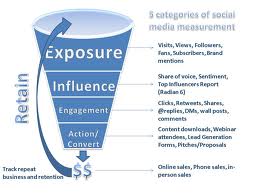
If I were using Facebook to steward donors and didn’t have enough time or money, then I would simply track: 1) how many Friends does my Facebook page have (and how did that number change in the last year), 2) how many “likes” and comments did my posted content generate, and 3) how many Facebook friends remained a donor to my agency in the last year (e.g. donor database loyalty report cross referenced to Facebook Friends list)?

If I were using Twitter to introduce and cultivate new prospective donors, then I would track: 1) how many Followers does my Twitter account have (and how did that number change in the last year), 2) what is my Klout score and level of online influence with my Twitter followers, and 3) how much traffic back to the agency’s website comes from Twitter (e.g. Google analytics from your website will tell you this number and much more).

As I’ve just done in the last two paragraphs, I suggest you do the same for each of your social media platforms: 1) determine your target audience and main objective for each platform and 2) select a small handful of metrics from your analytics program (e.g. Facebook Insights, Google analytics, etc) that make the most sense for what you’re trying to accomplish.

But wait . . . there’s more!

Measuring data for the sake of measuring data is a waste of time. You need to turn your data into something “actionable“. Here are just a few thoughts:

  • include it an annual performance plan for the employee who is responsible for managing your social media communities
  • build a social media dashboard and share with your marketing or resource development committee every month
  • place it on committee meeting and staff meeting agendas and facilitate conversations around the questions: “What does the data tell you?” and “What should we do differently with our content?”

Here are a few links that you might also want to read on this subject from me, Marissa or others:

Keep it simple. Don’t go overboard. And whatever you do, make sure you use the data.

Does your agency use social media? Are you measuring stuff? What are you measuring? Why are you measuring it? What are you doing with it? Has it made a difference in anything you do online or offline? Please scroll down and share answers to these questions or whatever else is on your mind in the comment box. We can all learn from each other.

Here’s to your health!

Erik Anderson
Founder & President, The Healthy Non-Profit LLC
www.thehealthynonprofit.com
erik@thehealthynonprofit.com
http://twitter.com/#!/eanderson847
http://www.facebook.com/eanderson847
http://www.linkedin.com/in/erikanderson847
Answers to the two most popular social media questions asked by non-profits

At the end of yesterday’s post titled “Are non-profits yelling at their donors using social media?” I promised that I’d share a few revelations from a social media conference that Marissa and I attended last week hosted by SkillPath Seminars. Today, we’re talking about two of the most popular social media questions that I’ve been asked by non-profit organizations:

  1. Which social media platforms should your non-profit organization use to speak to donors and supporters?
  2. How can your agency do a better job at engaging its supporters using social media and gain more traction?

Let me first say that I highly recommend this SkillPath training conference to all non-profit professionals who are responsible for managing their agency’s social media communities. You can find more information at the other end of the link that provided above. (No, I was not paid to say this)

When looking through the conference materials on this subject, they list more than 20 different platforms that companies are using to market their efforts. However, it came as no surprise that Facebook, Twitter and LinkedIn were the top three “networking platforms;” YouTube was the most popular “promotional platform;” and various blogging platforms (e.g. WordPress, Blogger, and Tumblr) were the most popular “sharing platforms”.

Our trainers suggested that a company should give serious consideration to developing a presence on all three platforms and five sites. While that might sound easy enough, it becomes more complicated when you consider that you’ll be saying different things in each of these places. You need to figure out who your target audiences are and which social media platforms are best at communicating with them.

As I sat through many of the sessions, I found myself trying to translate the training curricula into non-profit speak. Assuming that my universal translator is working well, I concluded the following:

  • Facebook looks like a great stewardship tool where you can engage donors and show your “friends” how their contribution is being put to good use.
  • Twitter and its 140 character limitations could be an awesome cultivation tool where you catch the attention of prospects and drive them to a place where they learn more about your mission.
  • LinkedIn is more than a human resource tool. It is a place to build relationships with potential corporate supporters and identify special event sponsors.
  • YouTube can be a multi-purpose resource development tool and used in many different ways. However, it might be best used for raising brand awareness and developing a pool of interested prospects who you are positioning for cultivation activities.
  • Your blog is a friendly online place to engage in conversations with supporters and potential supporters. You can establish yourself as a “thought leader,” advocate and engaged listener.
  • All of these social media tools should be used to drive traffic to your website where there is more information, volunteer forms, donation pages, etc.

Yes, this is a lot of work and at some point you’ll need to frame your agency’s strategy in a written social media plan. While it is easy to think that it might end up on the fundraising department’s plate, I think there is an opportunity for thoughtful organizations to transform their agency into a “social company” and share the workload and transform your workplace culture.

Enough on platforms.

What about building momentum? Gaining traction? Engaging more deeply?

The following are just a few of the suggestions offered by our SkillPath trainers:

  • Write content that is interesting to your reader. (If you don’t know what that is, then go ask them)
  • Host contests
  • Offer coupons
  • Make your content interactive
  • Include links to things that your audience will find interesting and useful

Perhaps, one of the best ideas I heard was that a picture is worth a thousand words. Write less and post more pictures of your mission, your programs, your volunteers, and your donors. This one simple idea that will probably result in increased traffic, more content sharing, and deeper engagement.

Is your agency using social media? How’s it going? Do you feel like it is working? Why or why not? Please scroll down and use the comment box to share your thoughts. We can all learn from each other.

Here’s to your health!

Erik Anderson
Founder & President, The Healthy Non-Profit LLC
www.thehealthynonprofit.com
erik@thehealthynonprofit.com
http://twitter.com/#!/eanderson847
http://www.facebook.com/eanderson847
http://www.linkedin.com/in/erikanderson847
Are non-profits YELLING at their donors using social media?

For a moment this morning, please picture this fictional situation.

You are sitting at Starbucks enjoying your favorite beverage. The music is soothing. The place is buzzing. The smell of baked goods is in the air. Perhaps, you’re engaged in a little people watching. You might also be eavesdropping on an interesting conversation at the table next to you. Ahhhhhh . . . this is a great place to be.

Suddenly, a wild-eyed person bursts through the door and makes a beeline right over to your table. They are loud. They are obnoxious. This mild acquaintance is talking at you, and there is seemingly no place in the conversation for you to get a word in edgewise. You focus in on what they’re saying (in an effort to find a way into the conversation):

  • Hi, my name is ________
  • I was born in Anywhere, USA.
  • I am ___ years old
  • I like cookies
  • I won a silver media in the fourth grade during field day
  • I like shiny objects

You think to yourself, “Why do I want to know all of this?” You also get annoyed because your peaceful and serene happy place quickly evaporated because of this person who you don’t know very well.

Believe it or not, this story might describe how your non-profit organization is behaving on social media platforms.

Many of your donors go to places like Facebook to find “fun” and “love”. They are relaxing, catching up with friends and family, and just chillin’ out. When out of the blue you (and other agencies) start shouting various things. Let’s look at some real Facebook posts from non-profits who I follow (I won’t attribute names in order to protect the innocent).

  • Oh! Oh! Look at me, look at me:  “School is back in session!  Let’s make this year GREAT!!  Welcome back the kids!”
  • Oh! Oh! Look at me, look at me: “As you watch the Olympics this week, 1-get psyched up for our week-long competition next week, 2-admire how the font you see on TV for the Olympics is the exact same we used on our summer flier!”
  • Oh! Oh! Look at me, look at me: “Please vote many times.  Takes seconds to do.  Click.  Enter info.  Vote.  Done.  Round 1 almost over.”

Many of you might be wondering, “What’s the point?” After all, isn’t social media the place that your agency is supposed to engage and cultivate new prospective donors and steward existing donors?

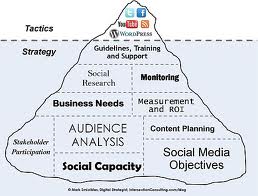
Yes, social media is a place to engage people. It is even a place where you can promote yourself. However, too many non-profit agencies in my opinion have the proportions way off. There are three specific goals that your written social media plan should have:

  1. Networking
  2. Promoting
  3. Sharing

Chris Abrams wrote a great blog post over at Marketing Conversation titled “Stop shouting and start listening to your social media fans“. While his audience is for-profit companies, I think he is right on target for non-profits as well when he says: “. . . social media is two-thirds defense and monitoring — listening — and only one-third promotion and publicity — speaking.”

Think of it this way . . . social media is a “conversation” between you and your donors, and you need to do at least as much listening as you do talking (if not more).

When I started getting more active in social media, the one person who I read a lot of was Beth Kanter. One of the most important things I once read in her blog was that it is OK for a non-profit organization to start their social media efforts slowly by setting up their platform, connecting with friends, and just listening for the first year.

Click here to read a little bit more about listening from Beth and her guest bloggers on the subject of “listening”.

I suggest that you revisit your social media strategy and stop YELLING things about yourself to your supporters. Here are a few quick suggestions:

  1. If you haven’t written a social media plan yet, gather a few donors and supporters and get to work.
  2. If you don’t have written social media policies, then ask the same group of donors and supporters to help.
  3. Post more pictures of what you do because a picture is worth a thousand words.
  4. Ask more questions and use fewer declarative sentences.
  5. Use social media as a funnel by capturing someone’s attention and sending them to your website if they want to learn more.
  6. Engage your donors and supporters in a conversation about what content they would like to see.

Last week, Marissa (the person you read on Mondays at DonorDreams blog) and I attended a social media conference. I will share a few things that we learned over the next few days. So, please stay tuned!

Does your non-profit organization use social media (e.g. Facebook, Twitter, LinkedIn, YouTube, blog, etc)? If so, what has been your experience so far? What challenges are you running into? Please share your thoughts and question in the comment box below. I will “listen” and attempt to “engage” you in a conversation.   😉

Here’s to your health!

Erik Anderson
Founder & President, The Healthy Non-Profit LLC
www.thehealthynonprofit.com
erik@thehealthynonprofit.com
http://twitter.com/#!/eanderson847
http://www.facebook.com/eanderson847
http://www.linkedin.com/in/erikanderson847
What non-profits can learn from the Olympics: A lesson in social media

I don’t know about you, but I can’t get enough of the Olympics. It is a chance for me to see sports that I don’t normally have an opportunity to watch. For instance, have you seen handball?!!? That stuff is crazy!

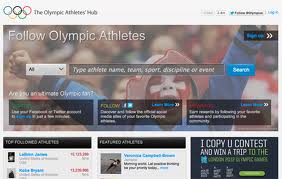
Sports watching aside, the London 2012 Games have been a little different from the Olympiads before them. They are the most “social” games that we’ve ever experienced. I thought today, since we are smack dab in the middle of The Games, we could take a look at how social media has made an impact and what non-profits can take away from it.

Censorship

Last week, reporter Guy Adam’s Twitter account, was taken down. This was shocking to hear because Twitter has been social media’s liberation network. Twitter is supportive of free speech . . . just look at their public positions on WikiLeaks and the Arab Spring movement. When reporter Guy Adams tweeted criticism of NBC’s coverage of the Opening Ceremonies, Twitter responded by shutting down his account. After media coverage of this censorship, Adams’ account was reactivated.

What can non-profits take away from this?

Just because social media is, in most cases, a free service and covered under the First Amendment, it doesn’t take away from the fact that Twitter, Facebook, et al, are still corporations. They can still regulate your account without your knowledge. As a result, I recommend that all non-profit organizations have their own websites and not solely rely on social media. After all, social media is only one tool that you should use to drive people to your website and share their message with the world.

Rants

People will talk. There’s no doubt about that.

However, there are times when people are not only representations of themselves, but they are also representing an organization and something larger than just themselves. So, when USA Women’s Soccer Team member, Hope Solo, tweeted her disdain for the commentary that was being given during her games, her coaches and captains called her in for a meeting. She wasn’t suspended, but since the meeting, her tweets have had a different tone to them.

Similarly, athletes have been suspended from participating in the The Olympic Games due to racist tweets they published.

What is the lesson in all of this for non-profit organizations? The need for a social media policy is stronger than ever.

What is the lesson in all of this for non-profit professionals? Employees and volunteers need to understand what restrictions might exist when it comes to sharing things on their personal accounts as it pertains to your organization.

Finally, this all begs one simple question: “How does your organization know who is saying what about you online?”

I believe that someone at your organization should be assigned the responsibility of monitoring what (if anything) is being said about your organization on the internet. Please don’t misunderstand . . . I’m not suggesting that you break any privacy laws here, but if an employee has a public twitter account, it can be seen by anyone.

One way to set up something without being as much of a stalker is to set up a Google Alert to notify you when the name of your organization or a key word attached your mission is mentioned on the internet.

Share Your Successes

The Olympics are all about results. Who ran the race the fastest? Which country has the most gold medals? Athletes, teams, and news networks constantly updating their feeds with success stories.

People like good news. Non-profit organizations should share their successes, big or small, with their online communities.

Did you recently make a purchase that will improve the work that you do? Tell people about it. Were you recently awarded a grant that will make an impact on furthering your mission? Scream it from the mountaintops of cyberspace.

People will “like” the good news on Facebook and retweet the news on Twitter. This can gain you new followers and supporters.

We still have about a week left of Olympic coverage, and new stories regarding social media are bound to pop up. I encourage you to keep your eyes open and see what happens. After all, in its most basic form, The Olympics are simply one big special event that is runs by an organization. Non-profits run special events, too. What social media stories have caught your eye recently? I’d love to talk about them in the comment section below!

Advice for all non-profits: “It is time to talk human again!”

So, I was sitting in my living room watching television and trying to multitask last night when one of the commercials that I was trying to ignore jumped out of my television, grabbed me by my shirt collar and shook me hard. It was an advertisement by Skype and it was very cute.  You probably know which one I am talking about . . . it is the commercial with the middle school aged boy and girl passing notes in class. I’ve embedded it below if you want to view it again.

[youtube=http://www.youtube.com/watch?v=pCJAASK50lY]

I especially love the following line in this ad:

“Long before email threads, we turned to each other. It is when the spirit of collaboration meant more than an ‘FYI’ or ‘Reply All’. When messages were passed along by simple gestures, validated by an honest expression.”

Long after this commercial was over, my mind kept straying back to it. I must have re-played it over and over and over again in my head all night long. After a few hours, it dawned on me that there is something about this message that obviously resonates with me and my point of view about non-profit organizations.

For the last few years, I became more focused on using technology to engage people (e.g. non-profit clients, donors, board volunteers, etc) in a way that felt efficient and productive. Thinking back on it, I have tried all sorts of technology tools all in the name of saving time:

  • Email (Ugh . . . I can send wickedly long emails with lots of detail)
  • Google Docs
  • GoToMeeting
  • Conference call bridges
  • e-newsletters

I suspect this trend is rooted in the idea of being respectful of a donor and volunteer’s time. After all, life is so busy and very fast nowadays. However, are we really being more efficient? Are we really getting more done? Are we really simplifying things or do our efforts really just de-humanize the experience and end up doing more harm than good?

I think United Airlines hit the nail on the head more than 20 years ago when they run this iconic television ad:

[youtube=http://www.youtube.com/watch?v=mU2rpcAABbA]

Please don’t misunderstand what I am saying. I believe technology is here to stay, and we all better learn how to appropriately use it to keep our donors and volunteers informed and engaged.

I suspect that technology will also continue to creep into our lives and become a stronger fundraising solicitation tool over the next decade. I also suspect that more and more board and committee meetings will happen over Skype and other online video platforms.

Before you totally surrender your non-profit and its relationships to the “Technology Gods,” I encourage you to take the following advice from our friends at United Airlines and Skype:

  • Scale back your email and non-personal technology efforts with volunteers and donors.
  • Don’t make-up reasons for volunteers to attend a committee meeting or board meeting. Make sure that the agenda contains important stuff.
  • Don’t make-up reasons to sit down with a donor. Make sure every touch is engaging, enlightening, fulfilling, and fun for them. It is more about them and less about you. Right? Connecting people with your mission in an emotional way is a recipe for success! And technology is anti-emotional.
  • Visit people in-person, but do so in a way that feels important and not a waste of time.
  • Try your hand at online video conferencing. Of all the technology available to you, this one somewhat allows some sense of personal interaction. Start small with an individual or committee first.

I think we can embrace technology in a way that makes sense and is not de-humanizing. It will take a conscious effort on your part. Are you up to the challenge? Or are you just going to continue ‘forwarding’ that email thread with an attachment and clicking ‘reply all”? Please scroll down and share your thoughts about either commercial? Did either have an impact on your non-profit point of view? I would love to hear your thoughts and what you plan on doing about it.

Here’s to your health!

Erik Anderson
Founder & President, The Healthy Non-Profit LLC
www.thehealthynonprofit.com
erik@thehealthynonprofit.com
http://twitter.com/#!/eanderson847
http://www.facebook.com/eanderson847
http://www.linkedin.com/in/erikanderson847

How to Keep Social Media Updated While on Vacation

Vacation season is well upon us so I thought in this post, I would focus on some applications that can help you keep the social media train running while you’re away.

In my mind, I see running social media as a customer service position. So it is important that while you are on vacation your community doesn’t feel left behind. Planning out your posts is an important step to make sure that your social media plan doesn’t skip a beat. There are many templates out there that can help you lay out what you are going to post and to which network. It is important that this plan is a detailed as possible and shared with a teammate who might be looking over your social media sites while you’re away.

After you’ve planned everything out you can actually schedule your posts to be posted in the future. This can be done in a couple of ways. First, Facebook recently added scheduling functionality. When you are typing a status update on your organization’s page, you will see a clock in the bottom left corner of the box in which you are typing. Upon clicking on it you will be able to assign a time that you’d like this post to be published. All posts are then accessible through the Activity Log in the page’s admin panel.

Third party applications can also help with the scheduling of posts on Twitter. The most popular application is Hootsuite. Hootsuite can also schedule facebook posts, so it might be the all-in-one solution for your and your team. Other social media sites such as Pinterest, YouTube, and Google+ do not seem to have scheduling functionality at this time. It will be important for you to leave your plan with someone who will have access to updating your sites while you are out of the office.

In addition, if your organization runs a blog, you can have those posts either waiting as drafts to be published or scheduled to be posted using your blog management software. That way, the blog doesn’t look like it has skipped a beat in your absence.

Even though you have taken the time before your vacation to schedule the posts to be published, I would recommend that someone still look over those posts and have the ability to cancel their publication if needed. Part of having a strong social media presence online is being current and sometimes something happens that needs to be posted over a post that you planned out a week ago. If you can, avoid sharing log in information with your team member and either make them an administrator on that site or set them up using a third party application such as Hootsuite, TweetDeck or Sprout Social.

Outside of planning social media posts, make sure you have your email covered as well. Don’t forget to activate an out of office message to be sent when you get an email while you are on vacation. Don’t forget to give people a place to go if the need an issue attended to in an urgent manner and let them know when they can expect to hear back from you. Out of office messages are able to be set up in both Gmail and Outlook and other email programs.

If your company uses gmail for their email service there is one plug-in that can help you send emails while away from your desk. The service is called Boomerang and using it allows you to schedule emails to be sent in the future. This could be helpful service if need to send a reminder to your team while you are on vacation.

Planning to go on vacation can be stressful. This is specially true when you work with social media because being connected is part of the job. I hope these tools can help ease some of that stress. What tools to you use when planning for vacation? I’d love to hear from you in the comments below.

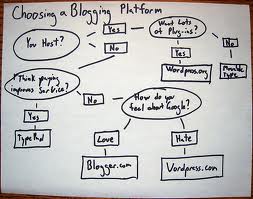
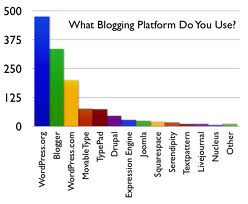
Which blogging platform is right for your non-profit organization?

We all know that having a website is an important part of any social media strategy, but along with that comes having a blog. Many times these are the same thing, and the blog serves as the main content on the site. Other times, a blog is a supplemental part of a site. Either way, finding the platform that is best for you and your organization is key to blogging success.

Some questions to ask yourself before setting up your blog:

  • Who will be blogging? Will this be a solo or group project?  Different platforms allow multiple authors, which is important to keep in mind. Also, I recommend making one person in charge of editing and layout, which means that person needs to be more knowledgeable on how to make changes.
  • What type of content will you share on the blog? Will it primarily be text, photos, videos, or a combination of all three? You might find after looking at different options that one is more suited to your content.
  • Will the blog serve as your main site or will it supplement your current site? Either way, you need to choose an option that works with you current website, brand and logo.

After thinking though a few of these questions, now the actual research can start on which blog platform is best for you.

WordPress

WordPress is a very popular free blogging platform that powers many of the sites you visit today – this one included. WordPress’ claim to fame is that they make it super easy to get a blog up and running and offer many plug-ins to make the site customizable.

There are two versions of WordPress — WordPress.com and WordPress.org. One might work better for you based on the needs of the blog.

WordPress.com allows you to create a free blog on WordPress’ servers. You get most of the features behind the WordPress platform without having to install it on your own server. While you never have to worry about updating software, your blog might have a domain ending in “WordPress.com”. It is also a social network that people use to follow and read all of the blogs to which they subscribe.

WordPress.org is the full featured free WordPress suite hosted on your own server. It is widely popular due to its ease of use and because it is free. It is easy to use for novice web designers, and it becomes more powerful as the user develops a familiarity with plug-ins or basic html.

There are a plethora of resources out there to build your site using WordPress. A simple google search will lead you in the right direction.

Squarespace

If you want a super easy to build professional looking blog, look no further than Squarespace. Squarespace is not free, but in my opinion it is worth the money. Depending on the plan you choose, you will be given web space, a domain, and an easy to use interface that allows you to customize your site through the simple act of “dragging and dropping”. This provider makes it easy to build a site that doesn’t look like created by a cookie cutter template approach. They also offer the ability to edit code if needed.

Other Options

There are a few other options out there. Tumblr is a social network built around blogging. The audience at Tumblr is on the younger side, but if that’s what you are looking for, it just might be the right place for your organization to share content.

Blogger is Google’s free blogging service and has been around for a long time. It is well-known as a starting place for new bloggers.

Finally, you can always code your own site. However, if you are going to do that, I always think it is best to consult with a professional.

I hope this post got you thinking about which blogging platform is right for your organization. If you currently have a blog, I’d love to hear the pros and cons of the system you are using. Also, if you have any questions on blogging services, I’d be more than happy to answer them using the comment section below!

Two Things You Can Do to Make Your Photos Look Awesome

They say that a photo is worth a thousand words. When it comes to adding photos to your blog posts or posting photos to social networks, why not make your photos look the best they possibly can?

I know what you might be thinking – Marissa, I am not a professional photographer, nor do we have the budget to hire one. Well, today I’m here to show you a few things you can do to make sure you are putting your best photo foot forward.

Take Photos of Everything
I cannot stress this enough. If there is an event going on, photos need to be taken. Thanks to digital photography there is no limit as to how photos you can take so snap away. When it comes to photos, the more options you have the better. Even if you don’t use these photos to showcase this specific event, you might be able to use a photo take at that time for something else.

Don’t forget to make sure you have the permission to take photos of people you are photographing.

Also, if you don’t have someone on staff that is available to take photos, put out a call for volunteers. There might be a local up-and-coming photographer who could lend her talents to help out your organization.

Cropping

A picture cropped without and with the rule of...
A picture cropped without and with the rule of thirds (Photo credit: Wikipedia)

After you’ve sorted through all of the photos and picked the ones you want to use chances are there is some editing that will need to happen. One of the easiest ways to take a less than awesome photo and make it a dynamic addition to your post, is to crop it. This is a feature you will find in most photo editing programs.

When cropping it is important to keep in mind the goal of your photo. What do you want the audience to focus on? Sometimes you might have a great shot of a lot of people at an event but 70% of that photo might be taken up by the ceiling in the room. By cropping out some of the ceiling the viewer’s focus is shifted to the people instead of the size of the room.

Also, you can crop images to follow one of photography’s golden rules: The Rule of Thirds. The basics are this, if the object of your photo is lined up along an imaginary tic-tac-toe grid, your photo will be visually interesting. Even if the original photo didn’t follow the Rule of Thirds, by cropping something out, you can change that.

Color Correction
There’s a lot that a person can do to change the color tone of a photo, but I won’t go in to all of the details here. I just want to focus on a quick color correction trick that can make your photos look the best they can. Many photo programs have an auto correct feature that automatically changes the saturation, contrast, brightness and exposure of your photos. This feature can become your best friend because most of the time it is one click that can save your photo. I will say that sometimes it doesn’t make your photo look its best, but in those cases you can go in and adjust each of those elements individually or just use the photo without any color correction.

Correcting the color of your photos can really make an impact. Many times it makes the photo look more realistic.

Photo Editing Programs
To crop and correct color you do not need to spend thousands of dollars on photo editing software. Most times your computer already comes with the software to do it. iPhoto on Macs is a dynamic program that organizes your photos as well and has an editing suite to help you make your photos look their best. Depending on the version of Windows you are using, Microsoft has basic photo editing tools also built in to their operating system to help you along.

If you are looking for a fully featured photo editor like Photoshop, but without the price tag, there is GIMP. GIMP is a free program with most of the features of a high powered editing program. Also, if you upload your photos to Google+, they have a pretty great editor built into the photo section of their site that is free to use as well.

Photos can make a big impact on your web content. The good news is that it doesn’t take much to make your photos look like they were shot by a pro. Just by cropping and correcting the color the photos on your site can look like a million bucks.

Do you have any photo editing tips you’d like to share? What photo program works best for you? I’d love to hear from you in the comments.

Don’t Forget to Backup!

As I write this, the house I live in is currently without power and will probably be without power for quite some time. Upon hearing this news, the first thought that went through my head was, “Oh, I hope my computer was turned off.” I had documents and projects at various stages open, which got me thinking that I should probably have a better backup system than the one I currently have.

Everyone knows that backing up your data is important,; but how many of us actually do it? Today, we are going to look at a few options to help you set up a backup system that will work best for your non-profit organization.

For the purpose of this post, I will be focusing on how to backup one single computer. However, based on the size of your organization, you might have a need to backup a server or several computers at once. Please talk to your IT Department about possible solutions in situations like these. If you’re too small to have such a department, then consult with a volunteer with a technology background.

First things first . . . remember that data is sensitive and the first step down this road is deciding what needs to be backed up and when.  Additionally, you might not be able to save all of the data that you want, and there might be some data that only needs to be saved for a certain amount of time.

A basic backup plan usually entails having a local copy of your data as well as a copy that is stored somewhere offsite. Of course, the reason for offsite storage is to protect you against loss of data due to a disaster such as fire, tornado and any other “act of God”. Additionally, both of these backups should be done on a consistent basis. The easiest way to make sure this happens is to hook up an external hard drive to your computer and use the “backup functionality” that you will find in both your Windows and OS X Operating Systems.

In Windows, you can find the backup function in the System and Maintenance section of Control Panel.

For OS X users, Time Machine (found in System Preferences) can help you set the schedule for data backup.

There are also some solutions for saving your data in “the cloud”. This can be a great help because users don’t have to worry about owning an external drive, and your data will be able to be accessed from anywhere.

Using a system such as Carbonite, can help you back up your data without having to think about it. You simply schedule your backup and data is uploaded to the cloud as you go about your day-to-day tasks. It’s that easy. Also, cloud backup sites can be quite cost-effective as they usually do not cost much. There are a few other services that you may want to check into such as Sugar Sync and Mozy.

There are a few things you can do to help prevent disaster when it comes to backing up data.

  • Save your document often. Get in the habit of saving your document after every paragraph or major change. This will ensure that the most recent version is available if your computer crashes.
  • Plug your computer into a surge proctor with battery backup. This gives your computer a little extra power if the power goes out. It also gives you a little more time to close your documents and turn off your computer properly.
  • Start using cloud based services where possible. Cloud applications usually save projects automatically, and you won’t have to worry so much about having access to data when power is not available.

I hope this post has you thinking about the best way to save data for your non-profit organization. Once set up, data backup is one of the most automatic forms of maintenance you can do for your computer.

What’s your data backup policy? Or have you fallen victim to a computer crash and had a backup to save the day? I’d love to hear your stories in the comment section!

Marissa was right . . . crowdfunding works

Let me take you back and set the scene. It was Monday, February 13, 2012, which can can only mean one thing at DonorDreams blog — it was “Mondays with Marissa”. On that particular Monday, Marissa wrote a post titled: “Can your non-profit raise $1,000,000 in 24 hours using a crowd funding site?”  I have a confession to make this morning. When I was editing that post, I was a little skeptical. I have seen crowdsourcing sites and know they be a powerful fundraising tool for certain types of projects, but I thought $1,000,000 was a bit exaggerated.

Apparently, I was wrong and Marissa was more right than I gave her credit for.

A few weeks ago that YouTube video of the bus monitor, Karen Klein, being bullied by middle school children went viral. Almost 8 million people have viewed the video, and every media outlet in America has been all over this story.  After hearing the story and viewing the video, a good Samaritan set-up an online campaign using a crowdfunding platform called Indiegogo with the intent of raising enough money to send Karen on a vacation.

As of this morning, the fund sits at $660,756, and I am wondering how close it will come to $1,000,000 before it closes down in 24 days.

Now please don’t misunderstand me. I am not suggesting that you rip up your organization’s written resource development plan and put all of your fundraising eggs in a crowdfunding basket.  Most of the crowdfunding campaigns that I’ve seen raise relatively small amounts of money. This situation was different (e.g. fueled by public outrage, the viral nature of YouTube, and an insane amount of media attention).

If you have the same ingredients for a project at your non-profit organization, then by all means double down on a crowdfunding strategy. If not, then I suggest recognizing crowdfunding is a viable fundraising strategy and placing it inside of your already crowded fundraising toolbox. Use that tool whenever the situation warrants it.

So, you’re probably asking: “When might the situation warrant a crowdfunding strategy?

I believe crowdfunding works for non-profit organizations when they are trying to raise money for a specific project from a specific audience. You may want to go back an re-read Marissa’s February 13th post because it contains a few fantastic pointers. Catherine Clifford at entrepreneur.com wrote a post titled “Want to Raise Money With Crowdfunding? Consider These Tips” that you also may want to check out.

Have you ever used a crowdfunding site to raise money for a non-profit project? If so, please share your experiences and lessons learned in the comment box below. We can all learn from each other.

Here’s to your health!

Erik Anderson
Founder & President, The Healthy Non-Profit LLC
www.thehealthynonprofit.com
erik@thehealthynonprofit.com
http://twitter.com/#!/eanderson847
http://www.facebook.com/eanderson847
http://www.linkedin.com/in/erikanderson847